How to use the DFS lineup simulator
From a blank slate to lineups uploaded on DraftKings or FanDuel, in 11 steps. Every step works on the free demo except editing projections, exporting and the two steps marked All Pro.
- 1.Create a free account and open the simulator
- 2.Pick the site, sport, contest type and slate
- 3.Read the player pool
- 4.Make the pool yours
- 5.Add stacks and rules (optional)
- 6.Run the simulation
- 7.Review your lineups
- 8.Hand-build in The Lab (optional, All Pro)
- 9.Build a portfolio (optional)
- 10.Export and upload to DraftKings or FanDuel
- 11.Late swap when games lock (All Pro)
Create a free account and open the simulator
Sign up with an email and you land in the simulator on the free demo. No card needed. The demo has real sims on main slates (3 free runs per slate, up to 10 lineups each). Paid plans start at $10 a week and unlock exports, edits and bigger builds.
First time in? The built-in tour walks through the same steps as this guide.
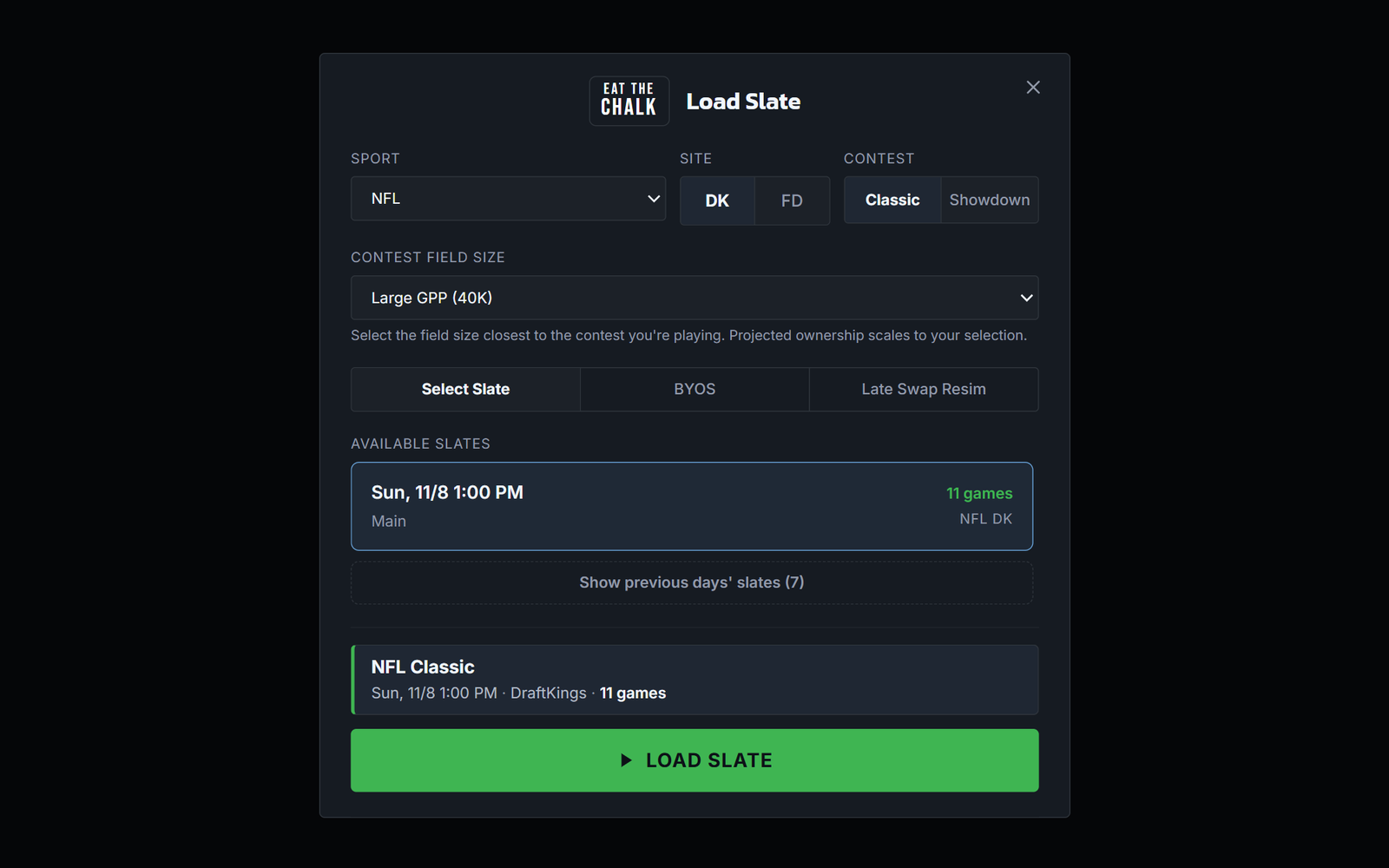
Pick the site, sport, contest type and slate
The Load Slate window opens first. Pick the sport, DK or FD, and Classic or Showdown, then the contest field size closest to the contest you are entering (a 40,000-entry GPP plays very differently from a 100-person contest, and projected ownership scales to it). Choose a slate from the list and hit Load Slate.
You can switch any of these later from the bar across the top of the simulator, where you also set how many lineups to build.
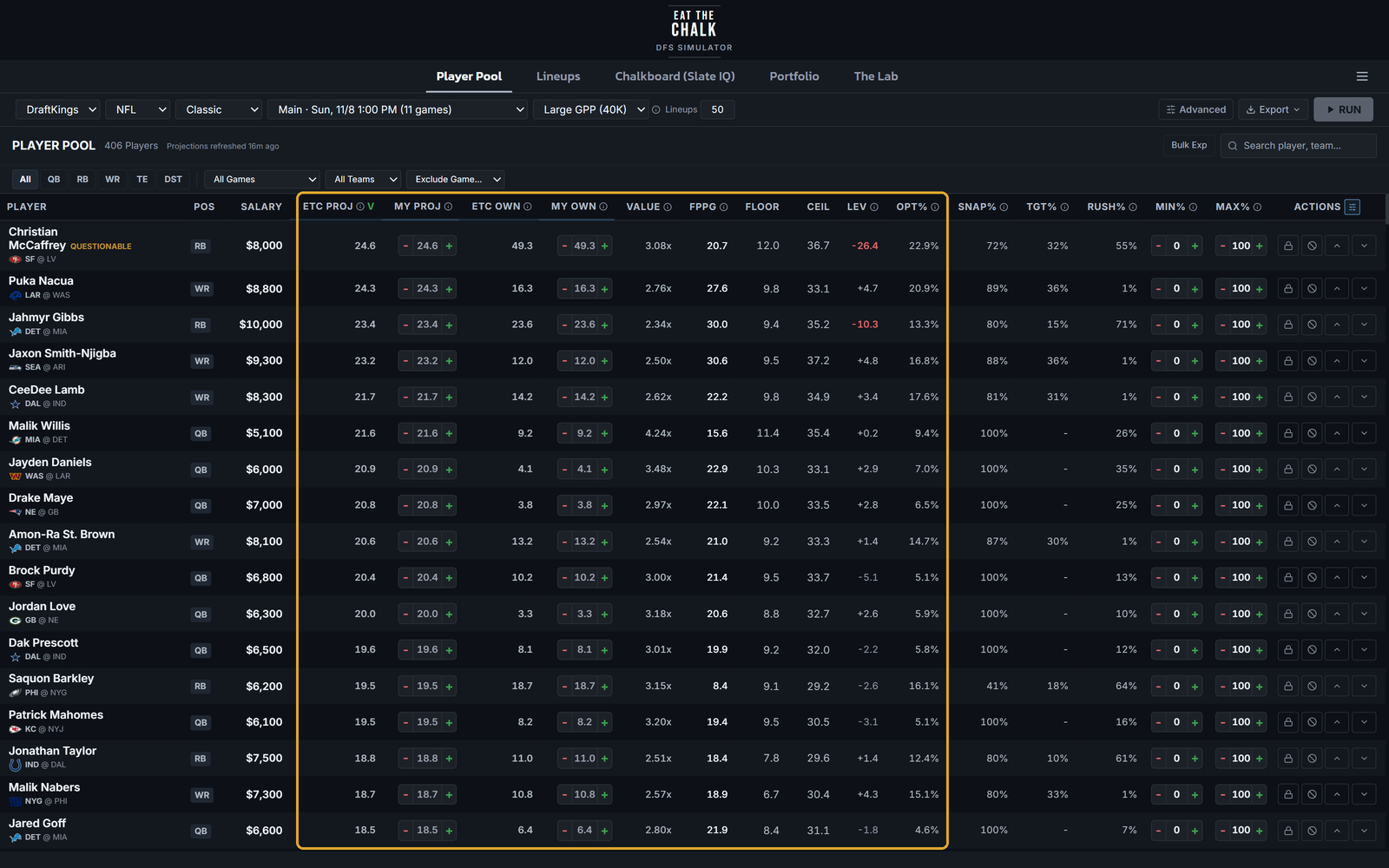
Read the player pool
Every player on the slate with ETC projections and ownership, value, floor and ceiling. Opt% shows how often a player is in the simulations' top lineups, and Lev is Opt% minus ownership. Click any column to sort, or filter by game, team or position. In Showdown, switch to the captain view to see captain projections and ownership.
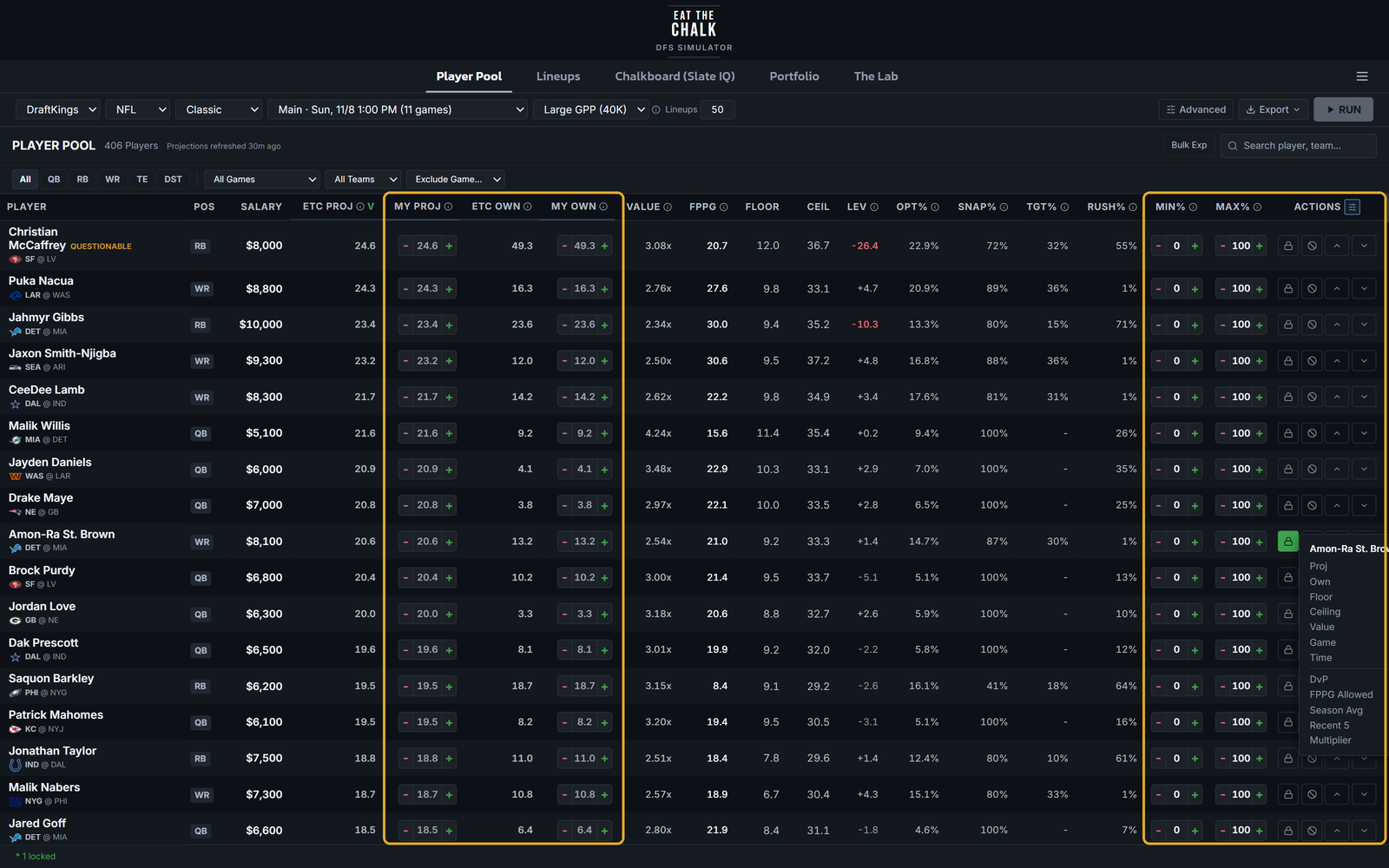
Make the pool yours
Lock players you want in every lineup, exclude ones you do not, and boost or fade to nudge the sims. Set a minimum or maximum exposure for any player. On paid plans, type your own projection or ownership in the My Proj and My Own columns and the sim uses your numbers.
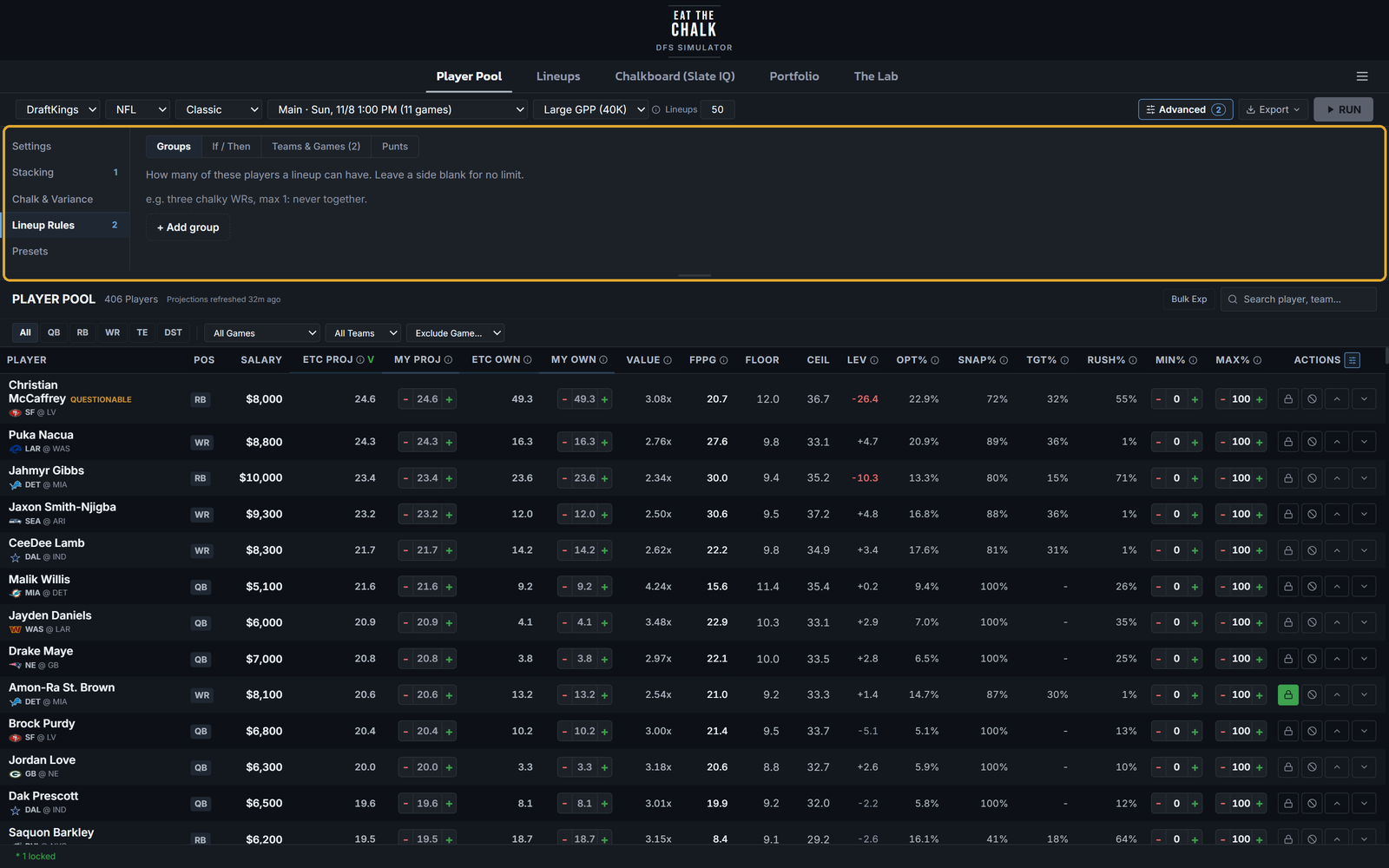
Add stacks and rules (optional)
Advanced holds everything else, in five sections: Settings, Stacking, Chalk & Variance, Lineup Rules and Presets. Set your QB stack mix and bring-backs, add a game script, write rules like "at least 3 SF players in 40% of lineups" or "if a QB, then at least 2 of his pass catchers", or load a saved preset in one click. Everything here is optional; the defaults are built for large-field tournaments.
Run the simulation
Hit RUN. The engine plays the slate out thousands of times (up to 100,000 on All Pro), builds a field of opponents from projected ownership, and scores how your lineups finish.
Review your lineups
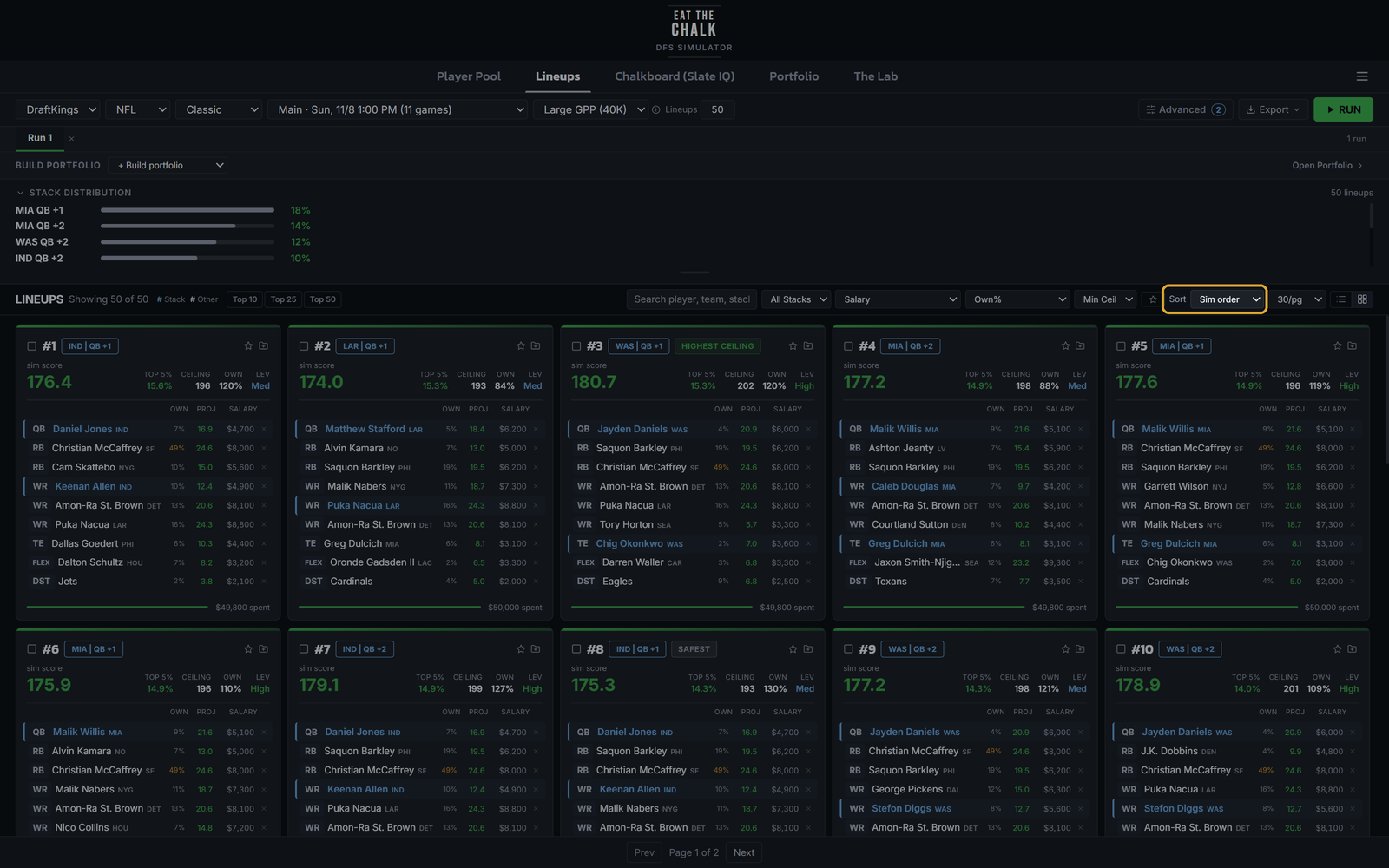
Lineups open in sim order, the simulator's own ranking. You can also sort by top-5% finish rate, ceiling, ownership, sim score, Random or Diverse, and the export's Top N follows whatever sort you pick. Star favorites, tick lineups to compare or export, and use quick swap to change a player and see the salary left. Any lineup that had to relax your settings to reach the count is labeled.
Hand-build in The Lab (optional, All Pro)
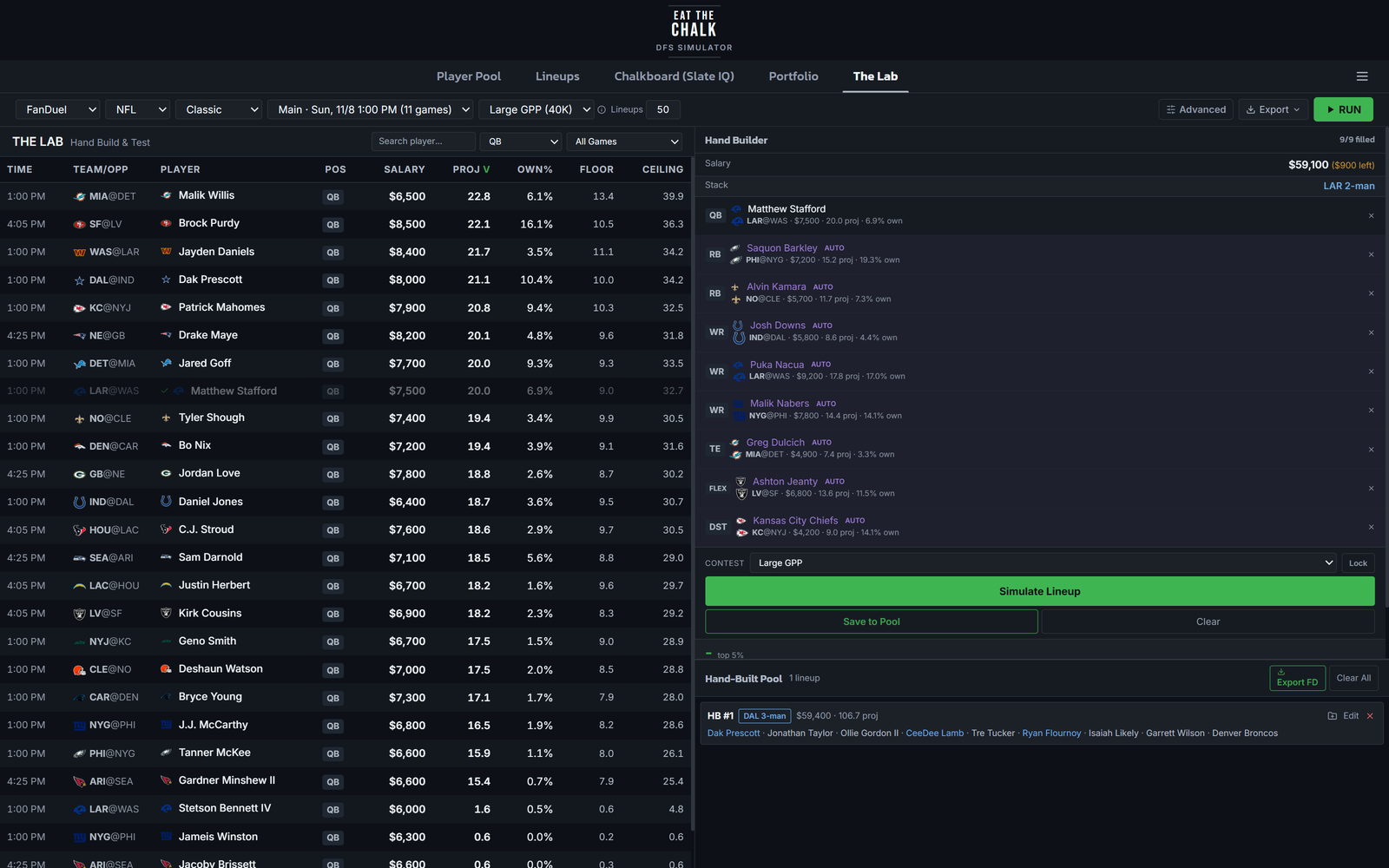
Want a lineup the sims did not build? Open The Lab, pick players slot by slot from the pool on the left, and let the builder fill any slots you leave open. Hit Simulate Lineup to see how it holds up against the same field, then Save to Pool. Hand-built lineups keep their own pool and their own export.
Build a portfolio (optional)
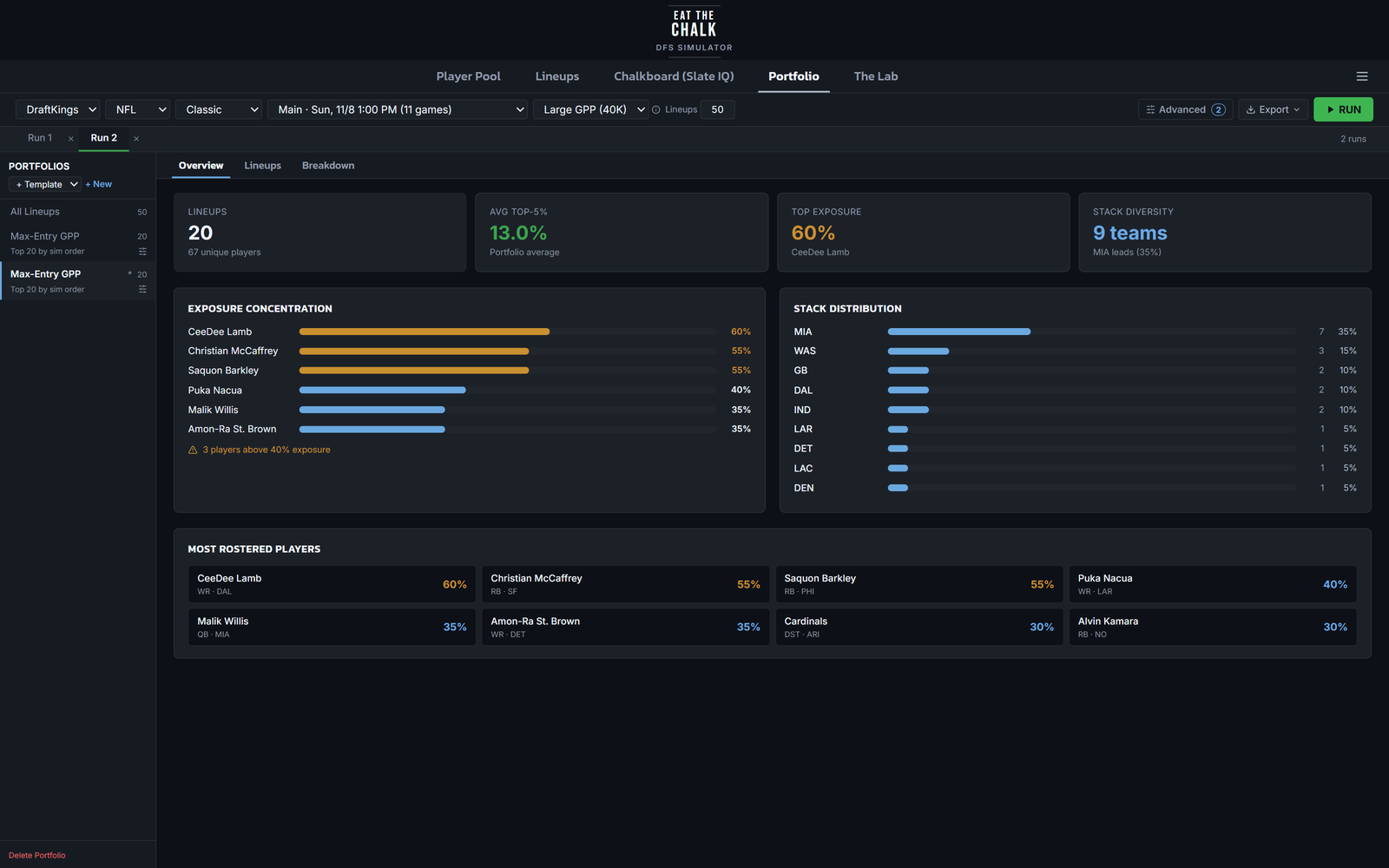
Collect lineups from one or more runs into a portfolio and check exposure and stack mix across everything you plan to enter. Templates for cash and GPP pick lineups for you in one click.
Export and upload to DraftKings or FanDuel
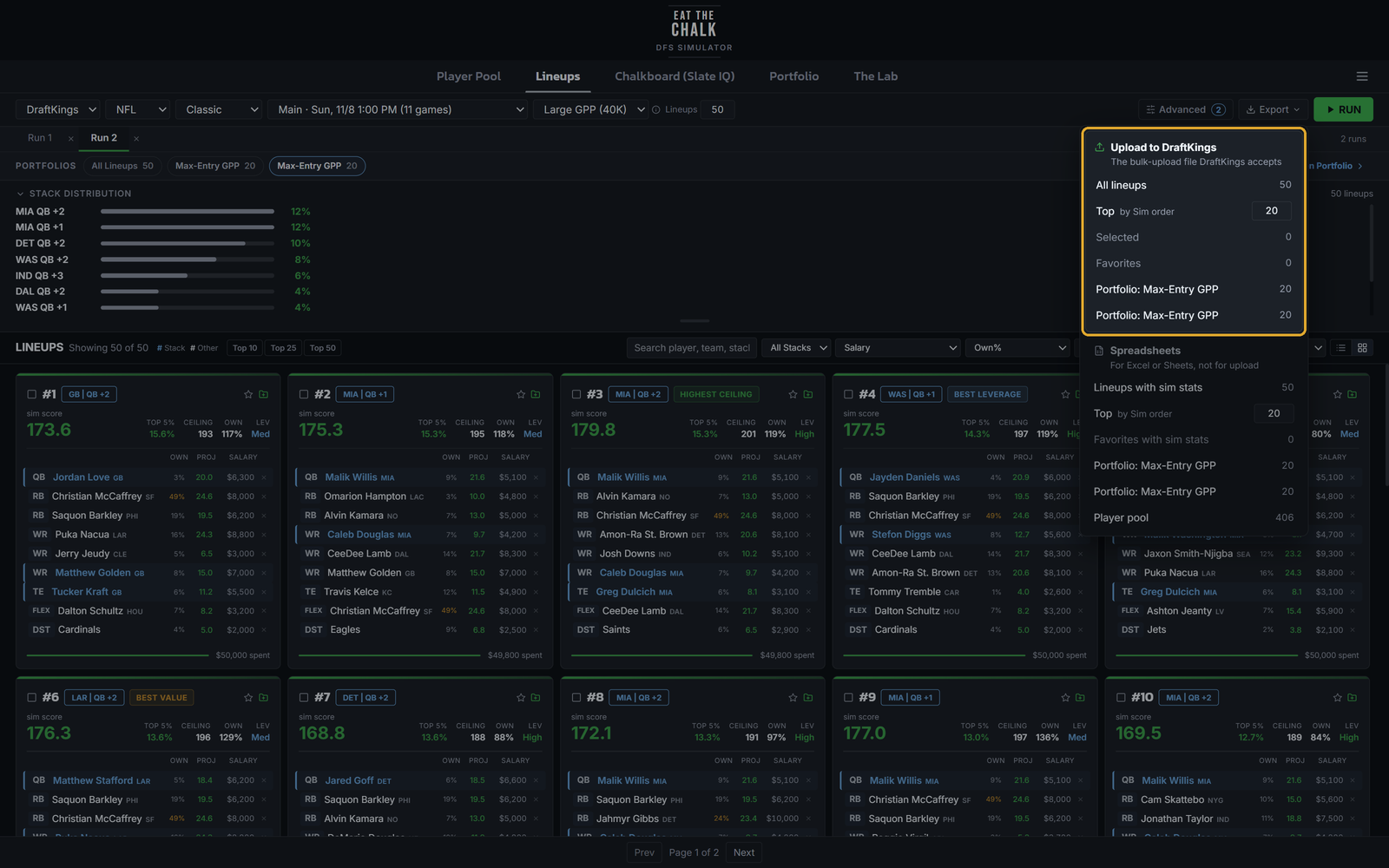
Open Export. The top section, Upload to DraftKings (or FanDuel), builds the bulk-upload file the site accepts: all lineups, the top N in your current sort, the ones you ticked, your favorites, or a portfolio. Then use the Upload Lineups option on DraftKings or FanDuel and pick the file. The Spreadsheets section below is for reviewing in Excel or Sheets and is not an upload file.
Late swap when games lock (All Pro)
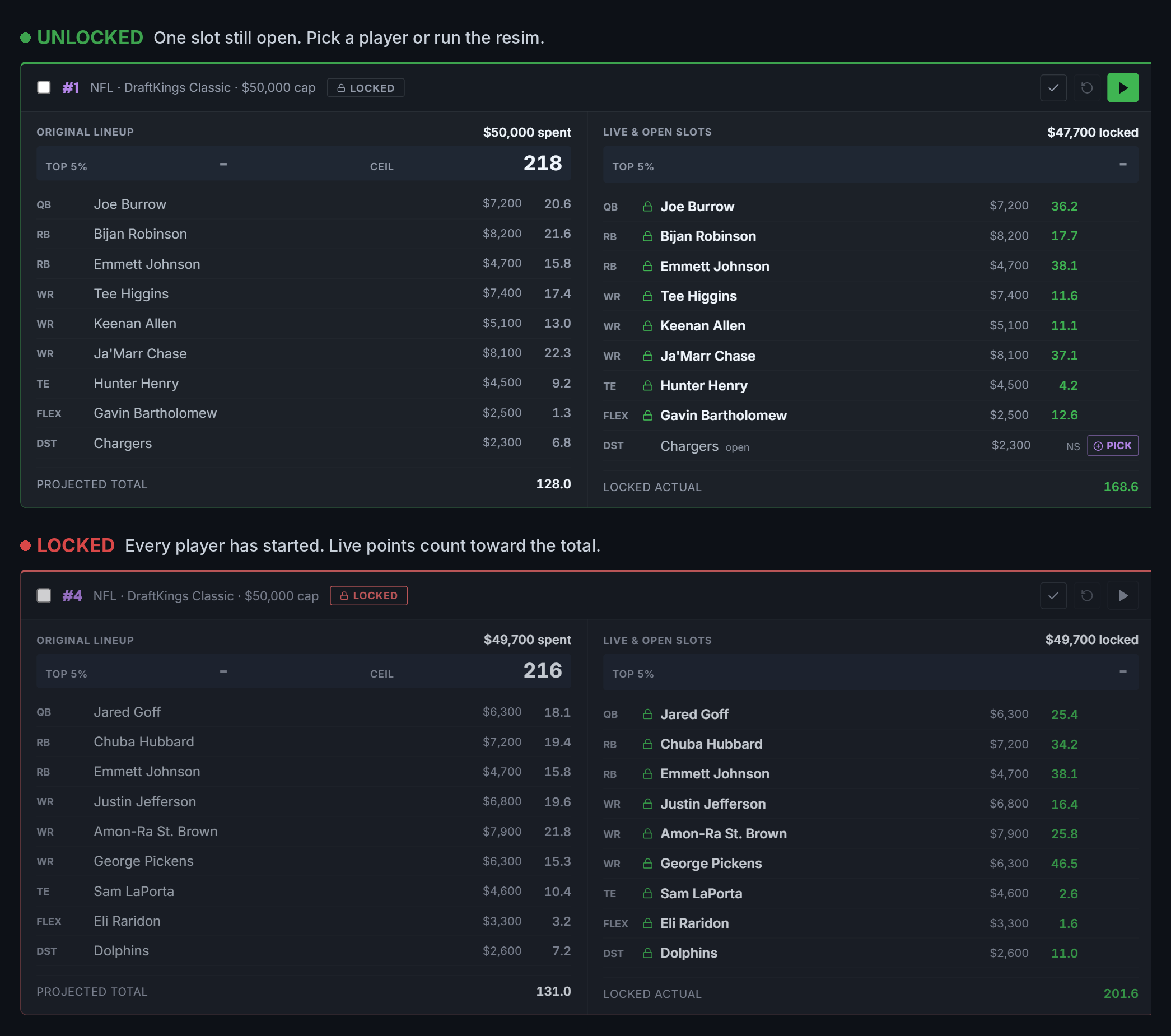
Once the early games start, open late swap. Finished and in-progress players are scored live, contest lines move as games end, and the sim re-ranks swaps for the players who have not locked yet.
Pro-level simulation without the pro-level bill
Full-access DFS simulators and optimizers commonly run $75 to $350 a month. Eat The Chalk All Pro is $59 a month for every sport, with up to 100,000 simulations per slate, our own projections and ownership, live late swap and up to 300 lineups per run. Only play one sport? Starter is $10 a week, plus $5 for each sport you add.
Range from the published monthly prices of popular DFS simulator and optimizer subscriptions, checked November 2026. Their prices change, so check each site for current pricing.
Ready to run your first slate?
Start free with the demo, or go straight to Starter at $10 a week. Cancel anytime.